

Description
GW08 Instruction manual Click to download the document
catalogue
1.3 1.3 Functional Features 4 4
1.5 1.5 Static Electricity Testing Standards (Internal Testing Standards) 5 5
1.6 1.6 Operating Instructions 5 5
1.7 1.7 External Dimensions 6 6
1.8 1.8 Lighting Indication 7 7
1. Product Overview
1.1 summary
The GW08 is a Bluetooth gateway designed to be used in conjunction with the Wishoe/LDlock/WisApartment/LDRenting Bluetooth lock solution. It is suitable for a variety of commercial settings, including apartments, bed and breakfasts, public rental housing, hotels, schools, and offices. When used with Bluetooth locks, it enables networked communication functionality for door locks.
In terms of connectivity, this gateway supports communication with smart locks via BLE (Bluetooth Low Energy) and can connect to a server via Wi-Fi or Ethernet. The gateway offers three networking configuration methods: Wi-Fi hotspot, Bluetooth, and remote configuration. It supports automatic acquisition or static IP addressing for connecting to the server, while also allowing users to customize the server IP address, enabling flexible and convenient deployment.
Compared with other gateway products under the Wishoe/LDlock/WisApartment/LDRenting brand, the GW08 stands out for its support of Bluetooth ad-hoc networking solutions. This feature eliminates the need for manual pairing between the gateway and the door lock, significantly improving installation and management efficiency.
1.2 Product image
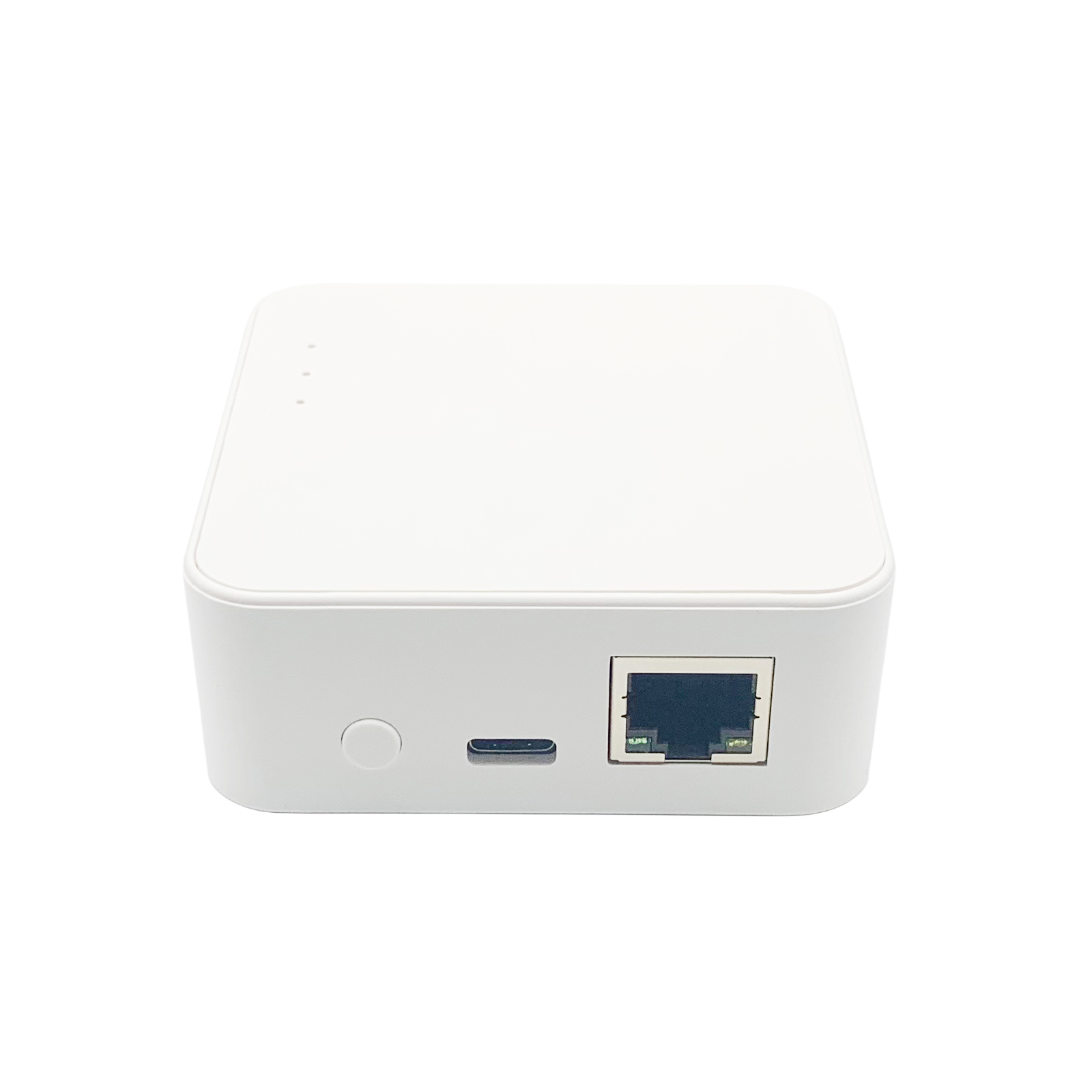
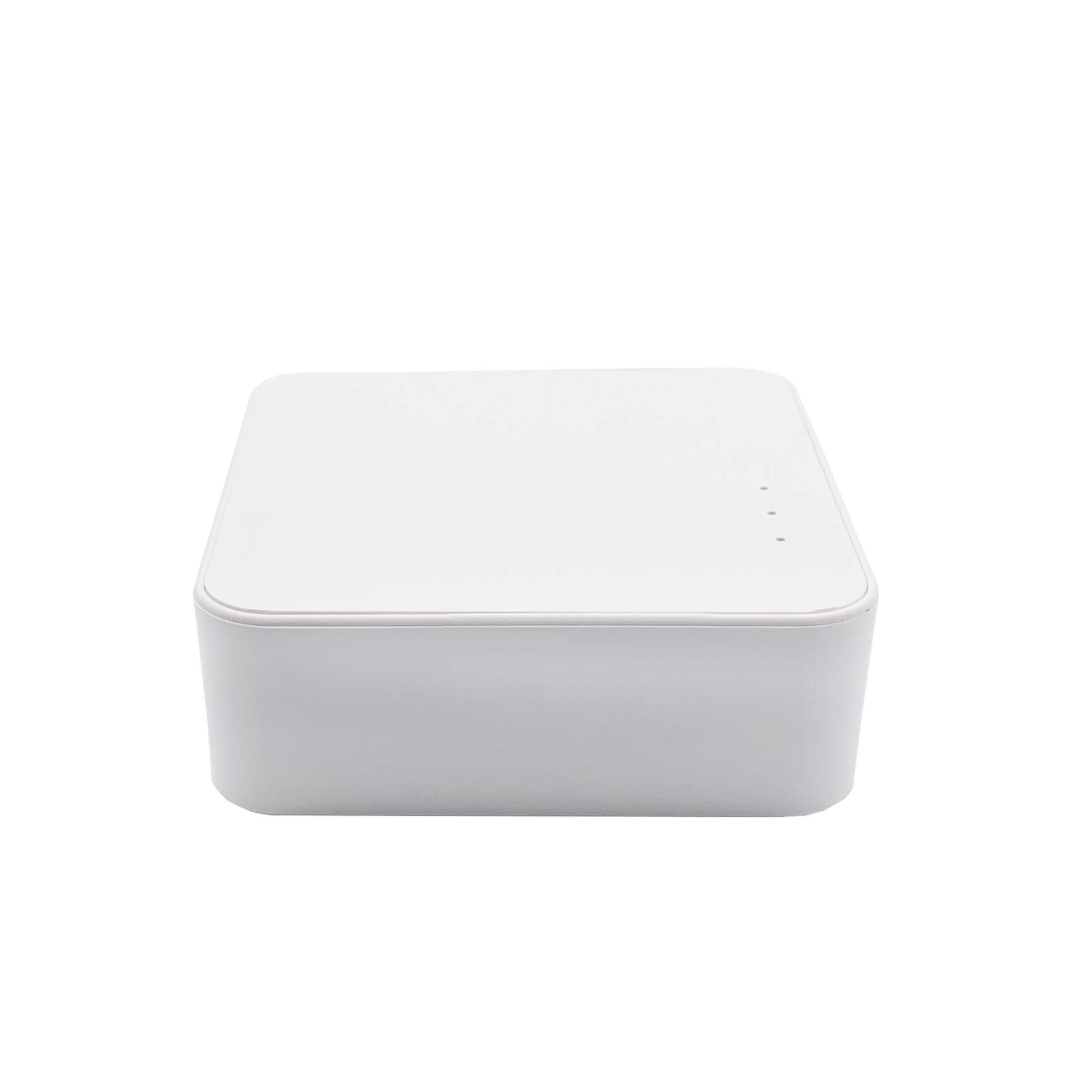
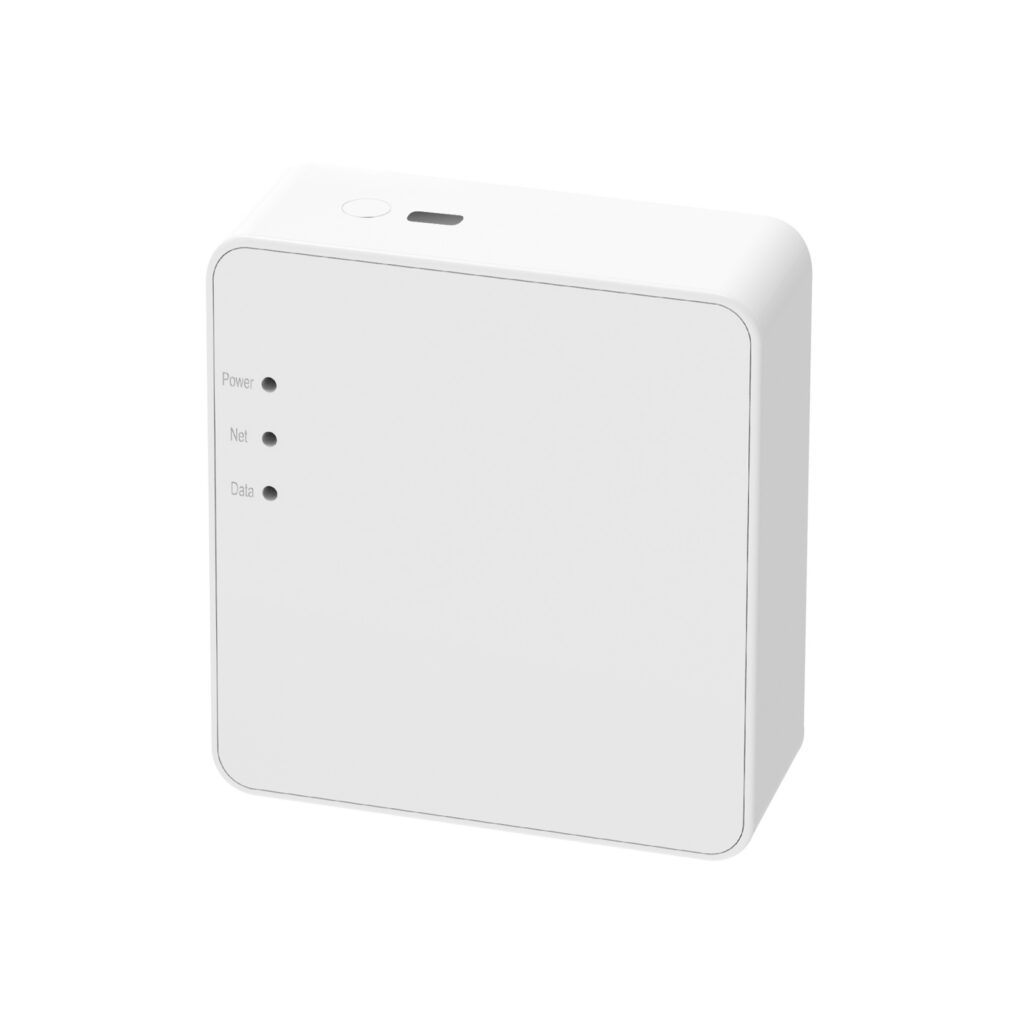
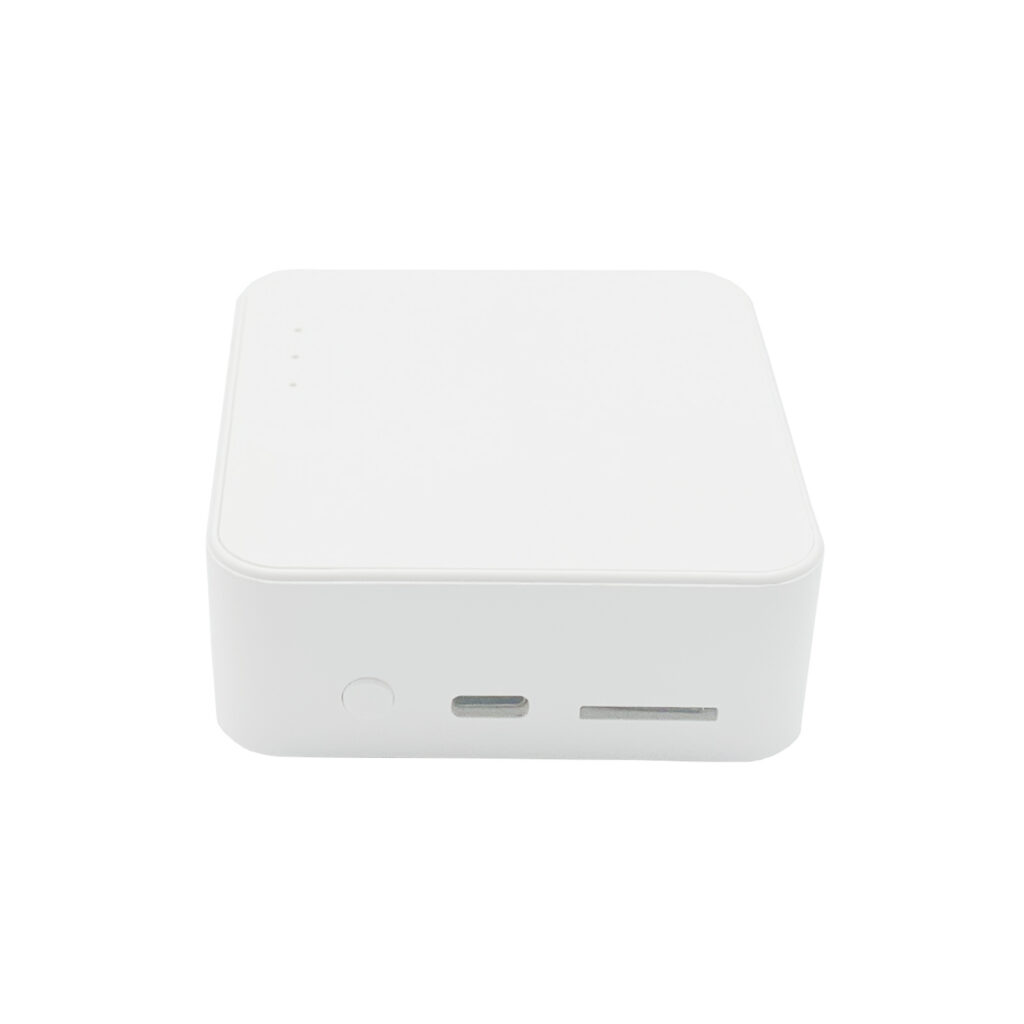
As shown in Figure 1.1, this is the product illustration for GW08.
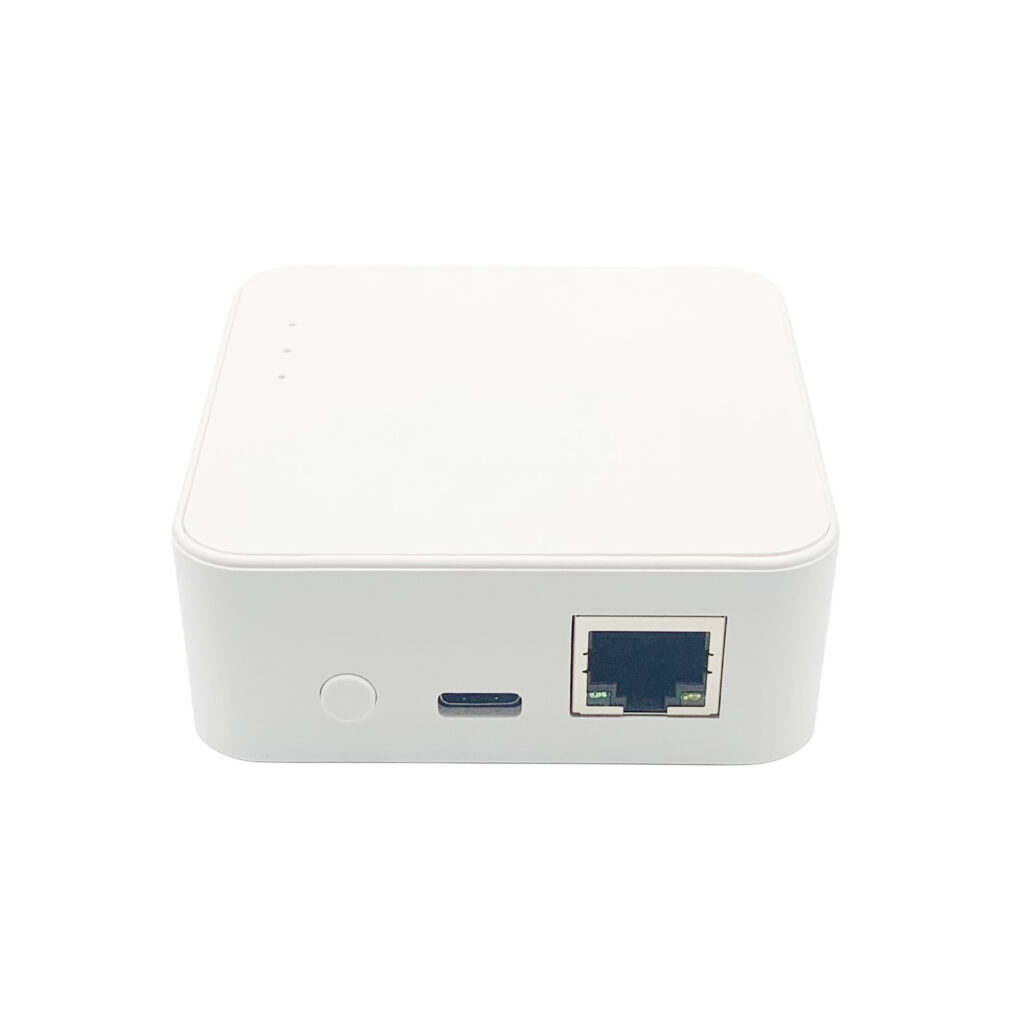
Figure 1.1: GW08 product illustration
1.3 functional characteristics
- Supports BLE connectivity for smart locks
- Supports Wi-Fi hotspot and Bluetooth configuration gateways.
- Supports BLE ad-hoc networking communication protocols.
- Supports Ethernet (10/100 Mbps) connectivity to the server.
- Supports network connection options for automatic acquisition or static IP addresses
- Support for customizing the server IP address
- Support remote configuration of the network.
1.4 function Introduction
As shown in Table 1.1, this section provides an overview of the functions of the GW08 gateway.
Table 1.1 GW08 Gateway Features
|
function |
parameter |
|
way of encryption |
n RSA1024 asymmetric encryption algorithm n AES128 |
|
Wireless Standards |
n BLE 4.2 Bluetooth Low Energy standard |
|
BLEstandard |
n Frequency range: 2402 MHz to 2480 MHz n Wireless channels: 40 n Communication range: 10 meters in an open area |
|
Networking functionality |
WIFI,Ethernet |
|
Distribution Network Model |
Supports Wi-Fi hotspot connectivity, Bluetooth pairing, and remote configuration deployment. |
|
voltage range |
5V |
|
working temperature |
-10~65℃ |
|
relative humidity |
20%~93% |
|
Dimensional Description |
79.09mm x 71.09mm x 27mm |
|
Software support |
Wishome , WisApartment , Ldlock , LDRenting (HTLock) |
1.5 Electrostatic testing standards (internal testing standards)
Electrostatic discharge immunity test in accordance with GB/T 17626, Level 4.
1.6 operation declaration
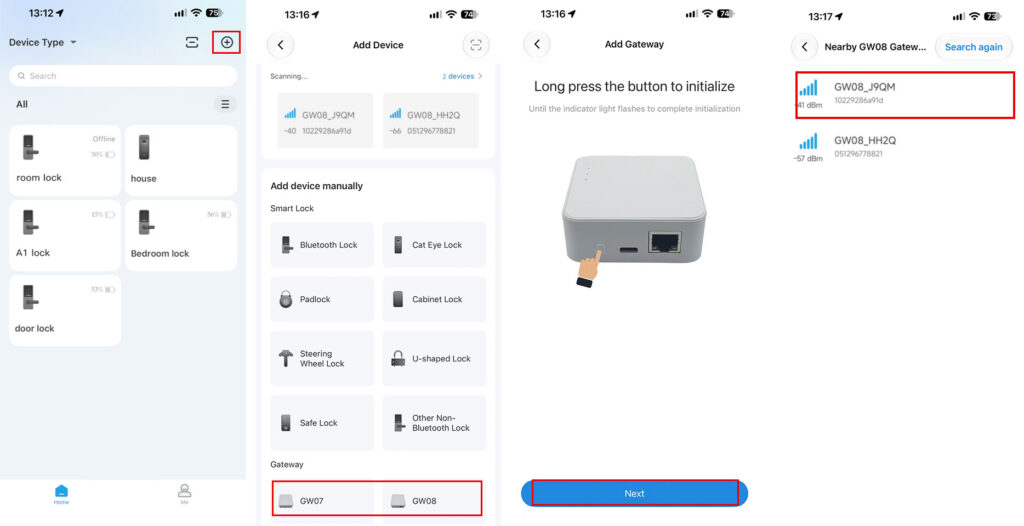
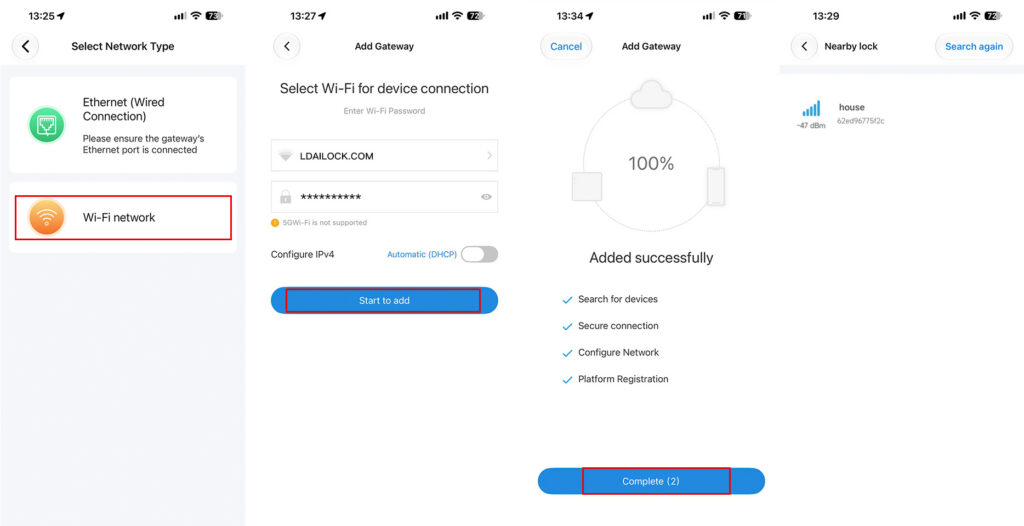
After logging in to the Wishoe/LDlock/WisApartment/LDRenting app, tap the “+” icon in the upper-right corner → select the GW08 gateway → press and hold the gateway’s initialization button, then tap “Next” → tap the GW08 gateway you want to add → select the “Connection type” (this demonstration uses Wi-Fi connection) → enter the Wi-Fi network name and password, then tap “Start Adding” → wait for the gateway to be added → once added, the GW08 gateway will automatically search for and pair with nearby door locks; there is no need to manually pair the door locks.
1.7 External dimensions
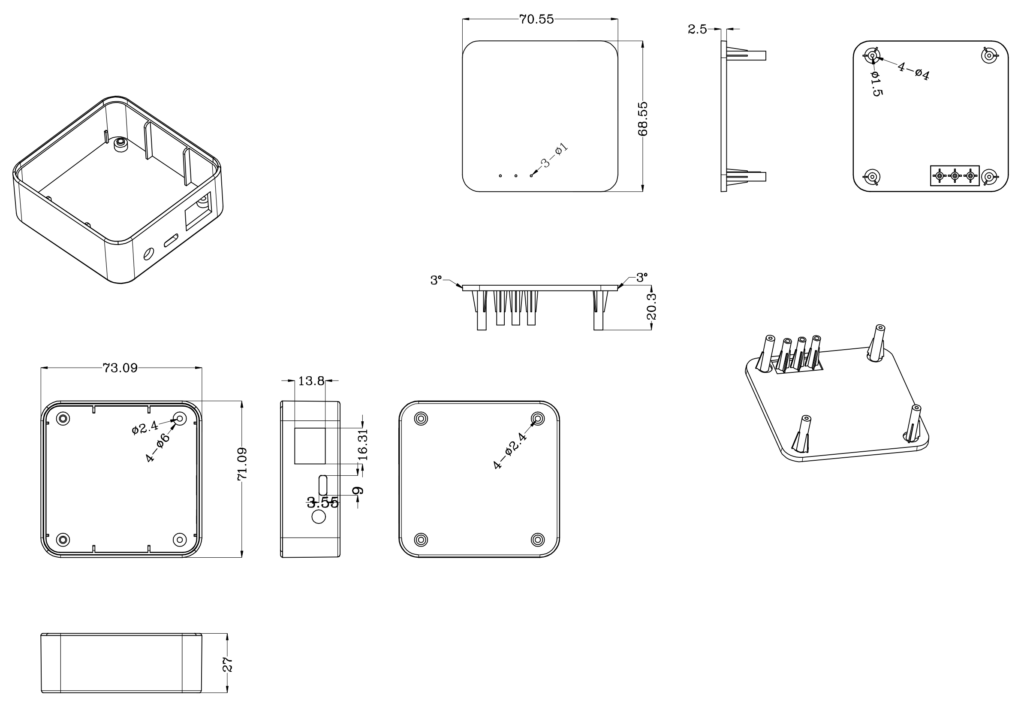
Figure 1.2: External dimensions diagram of GW08
1.8 Lighting indication
|
Indicator light descriptions: Bluetooth indicator light (blue – near the power supply port); network indicator light (green – in the center); always-on power supply indicator light (white). |
||
|
function |
Lighting status |
Audio-visual alert instructions |
|
Initialization successful |
The network indicator light (green) and the Bluetooth indicator light (blue) both turn off simultaneously. |
Press and hold the button to prompt the user to release it. |
|
No IP address was obtained. |
The network indicator light (green) flashes rapidly (10 times per second). |
|
|
The router connected successfully and obtained its IP address. |
The network indicator light (green) flashes (three times per second). |
|
|
Connecting to the cloud… |
Network indicator light (green): flashing slowly (once every 1 second) |
|
|
Cloud connection successful |
The network indicator light (green) is constantly on. |
|
|
Gateway and cloud communications |
The network indicator light (green) flashes briefly and then remains constantly illuminated. |
|
|
OTA |
The network/Bluetooth indicator light (green + blue) flashes rapidly in alternation (five times per second). |
|
|
Bluetooth slave mode (broadcast duration does not exceed 2 minutes) |
The Bluetooth indicator light (blue light) flashes on and off alternately every second. |
|
|
Bluetooth host mode |
The Bluetooth indicator light (blue light) is constantly on. |
|
|
Data transmission in Bluetooth host mode |
The Bluetooth indicator light (blue light) flashes briefly and then remains constantly on. |
|
|
The Bluetooth broadcast has exceeded 2 minutes. |
The Bluetooth indicator light (blue light) flashes briefly twice per second. |
|
Reviews
There are no reviews yet.