


Description
ACS03E-BFRZTBVL-433 Click to download the document
catalogue
1.3 1.3 Overview of the Door Lock Plate Function 4 4
3.2 3.2 Typical Applications 7 7
3.2.1 3.2.1 Directly Controlled Electric Lock 7 7
3.2.2 3.2.2 Control the elevator entrance button 9 9
1. Product Overview
1.1 summary
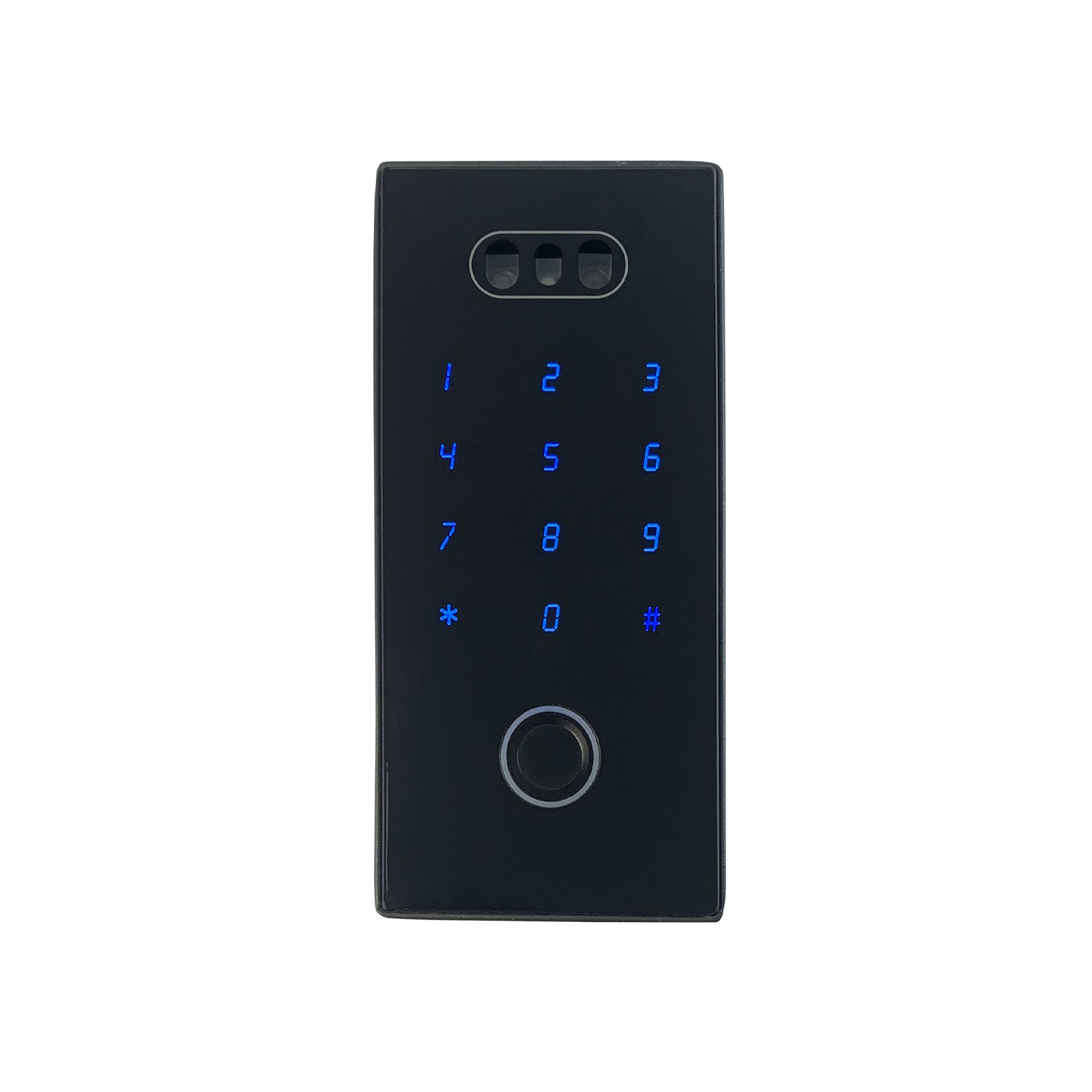
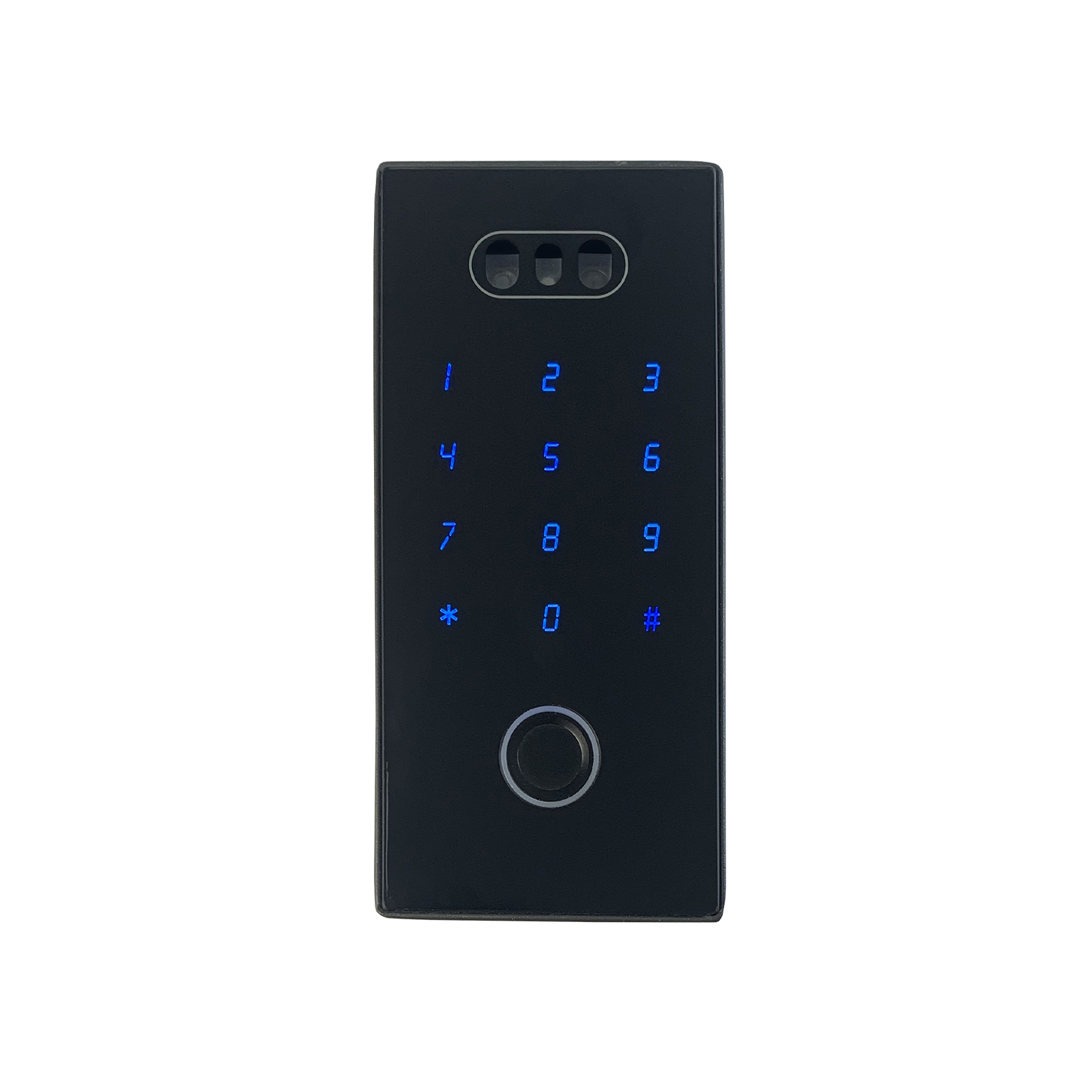
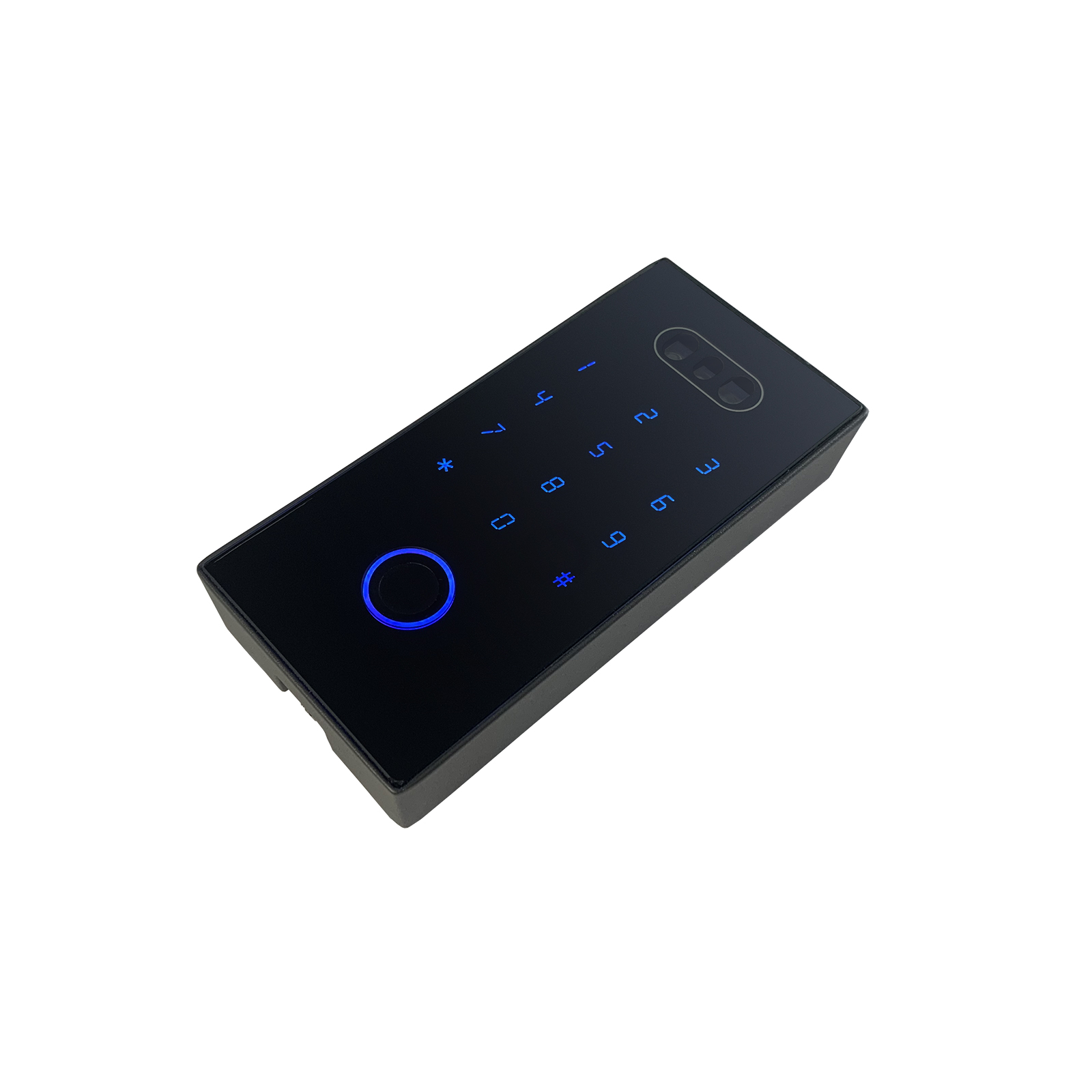
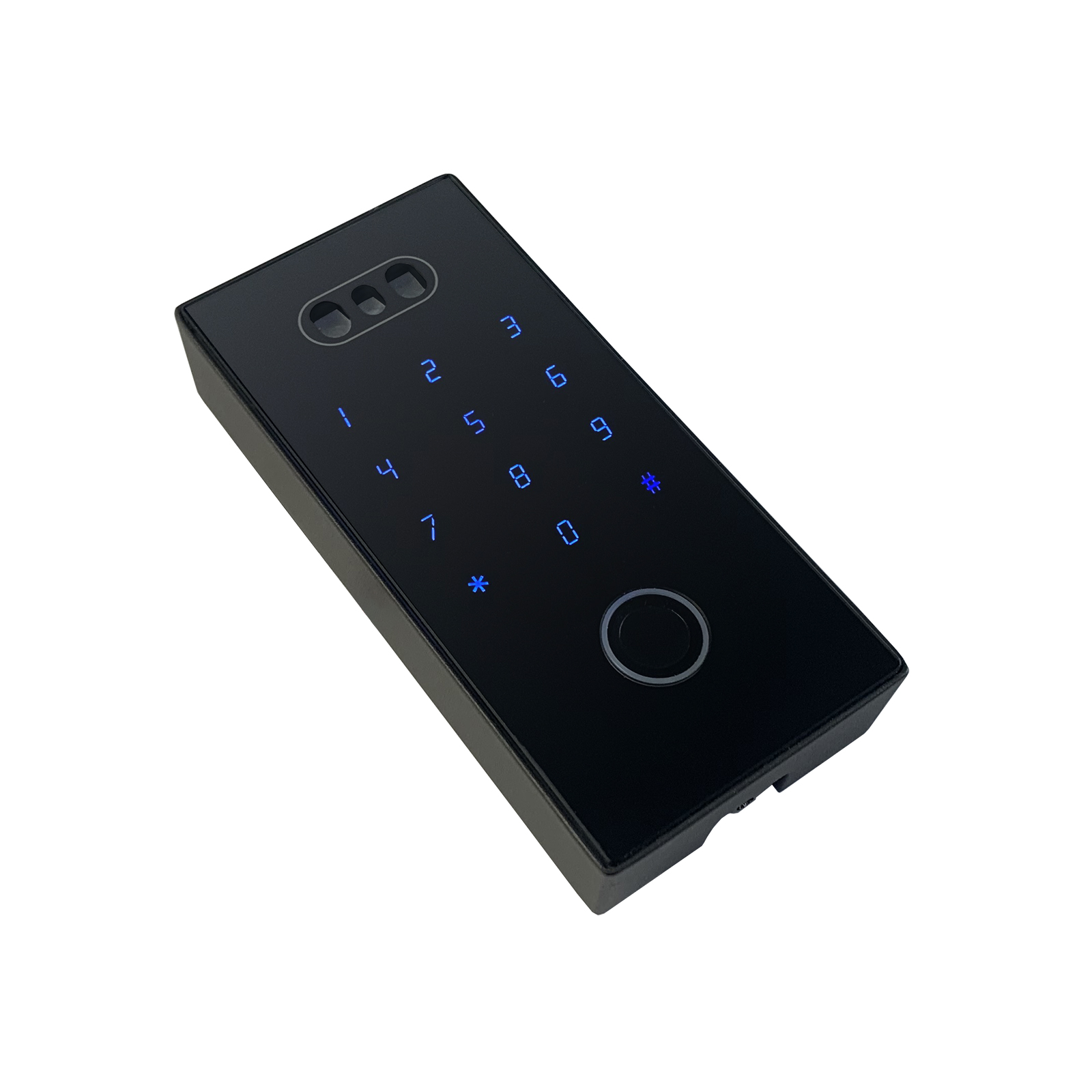
The ACS03E is a Bluetooth access-control controller specifically developed for use in apartments, hotels, and guesthouses. It allows card access, password authentication, facial recognition, fingerprint verification, or mobile-device authorization sent via network-connected lock management software (or a mobile app) to directly control electric plug locks, magnetic locks, and similar devices. This makes it easier for operating venues to enhance access-security management.
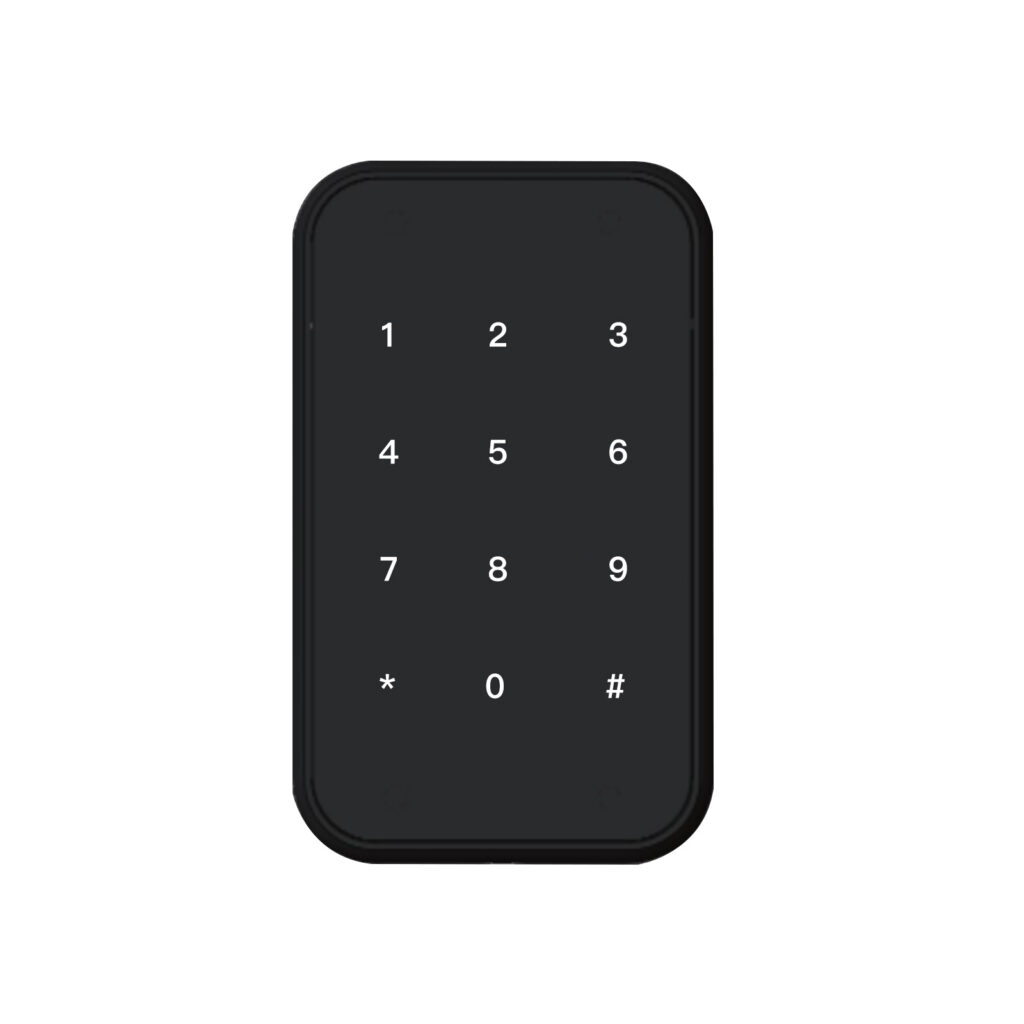
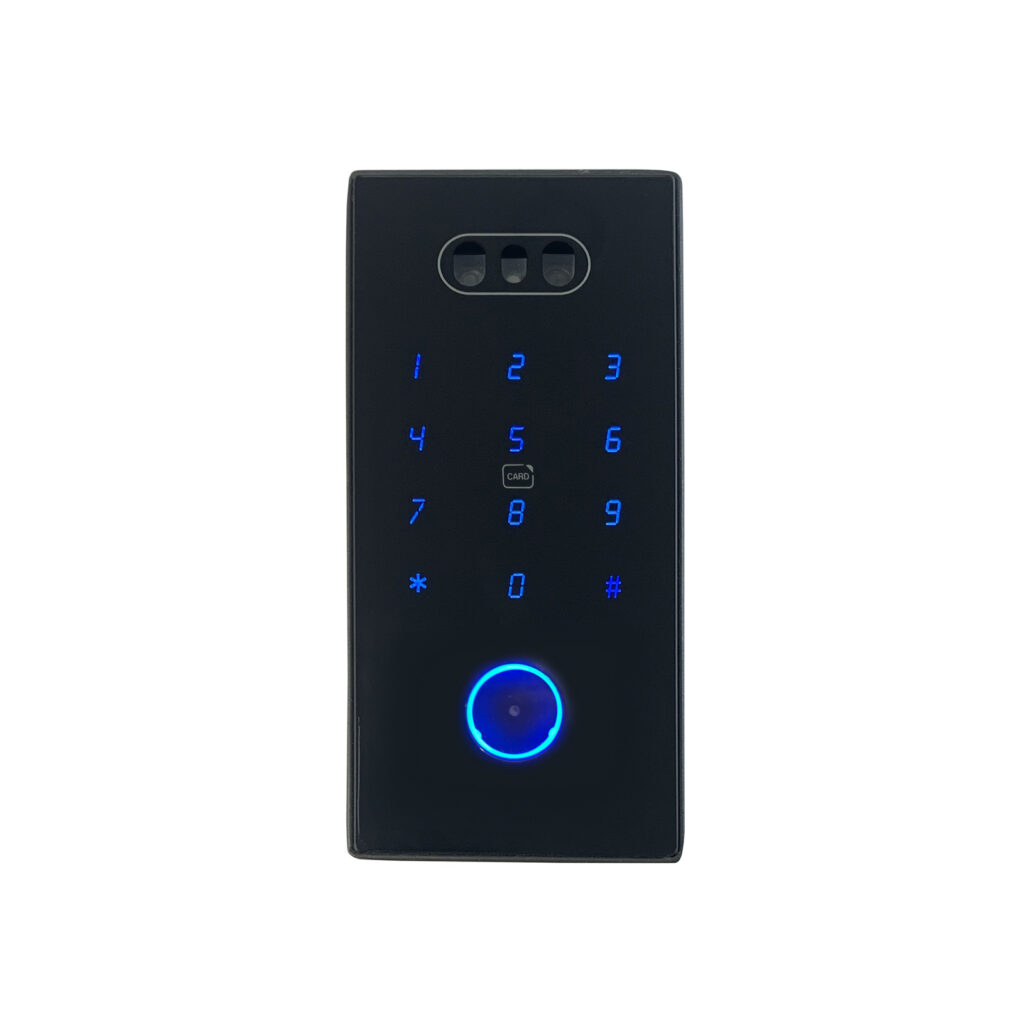
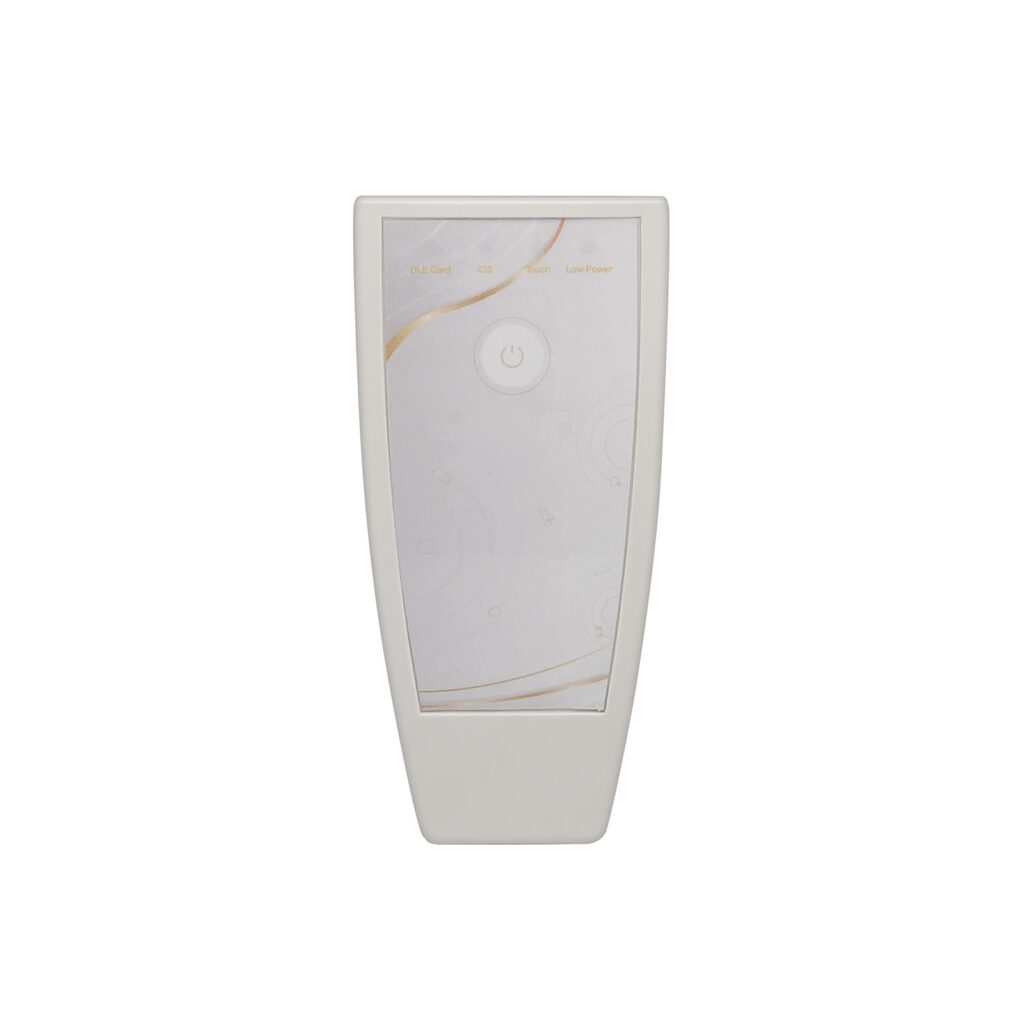
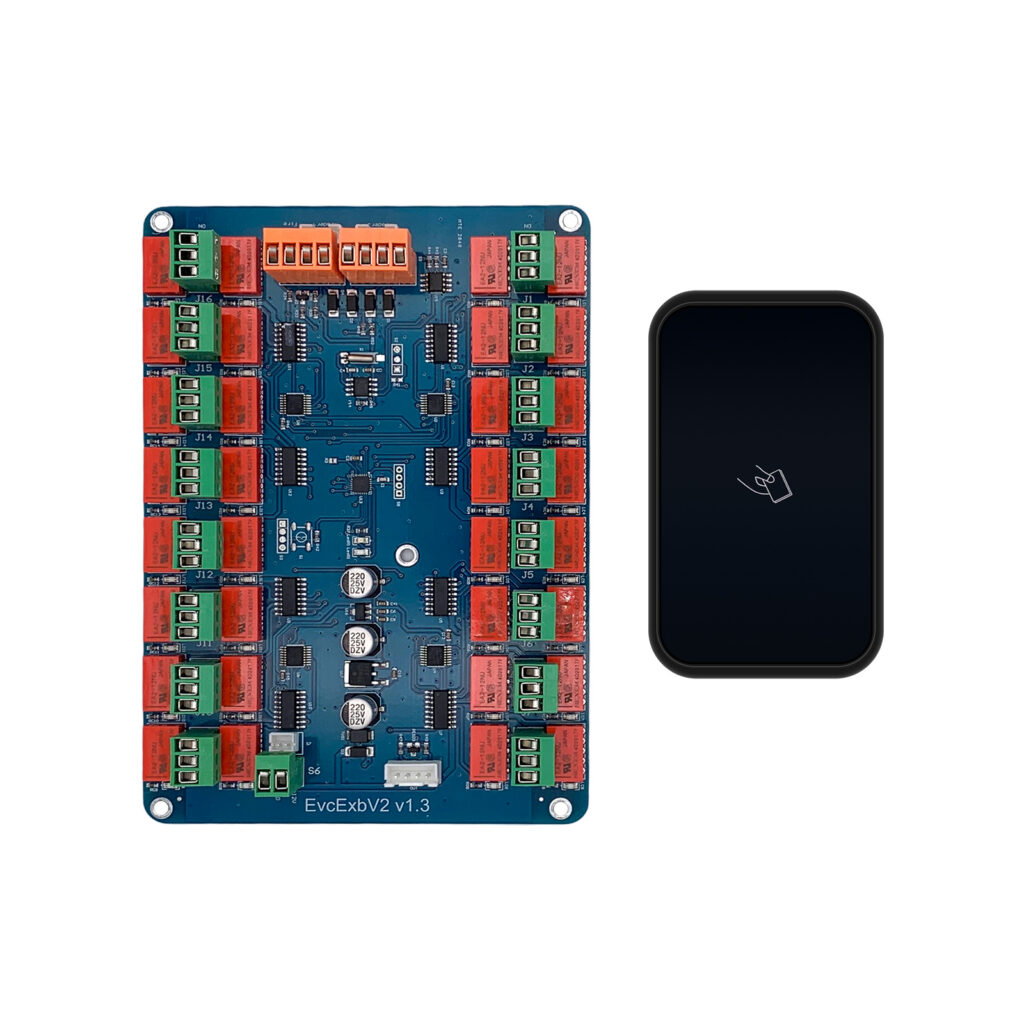
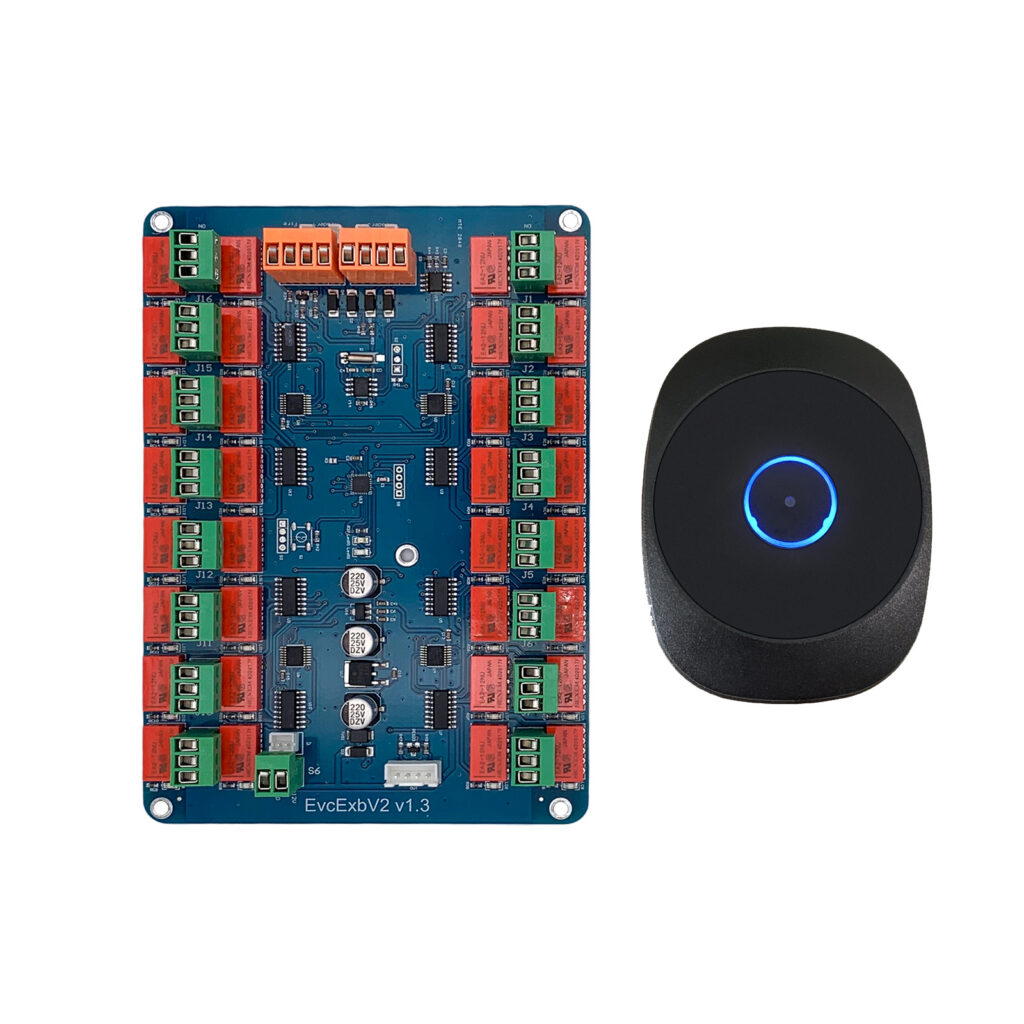
1.2 Product image
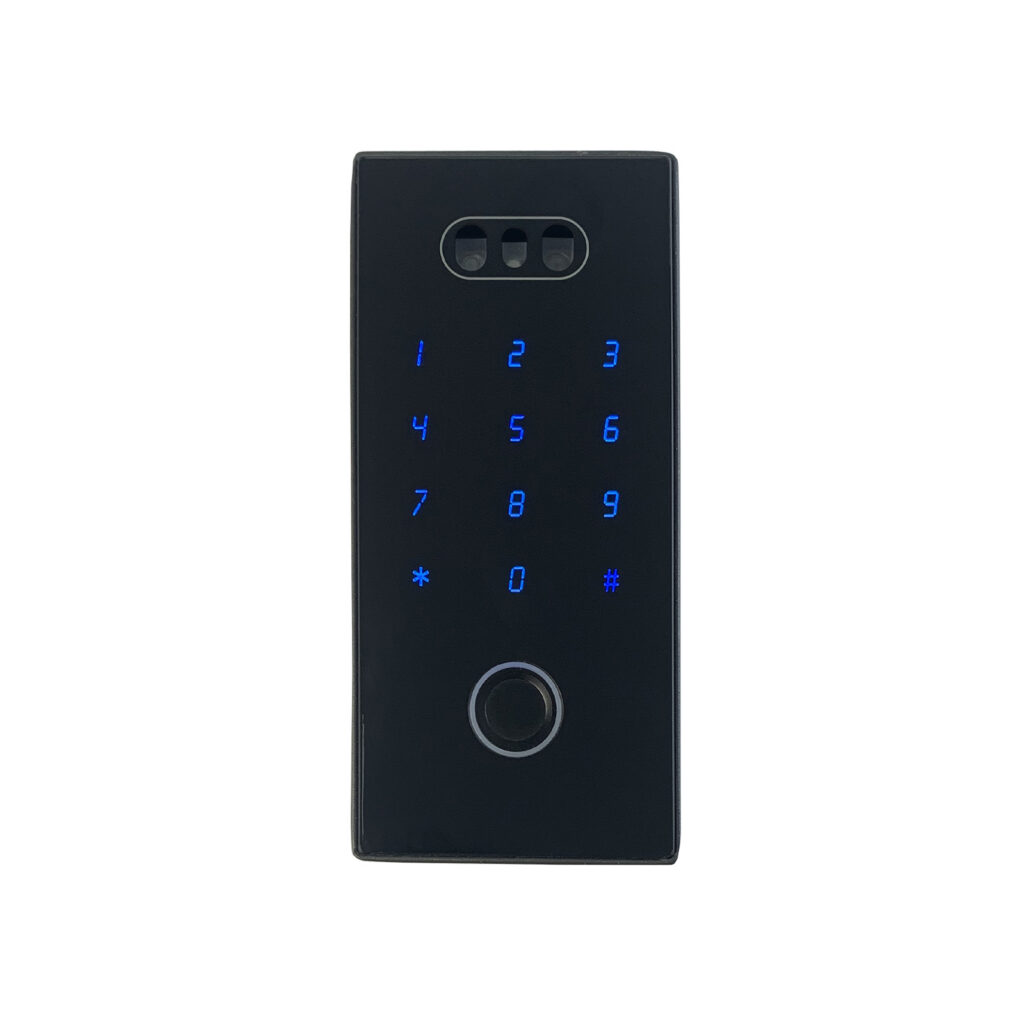
1.3 Introduction to the Door Lock Plate Function
As shown in Table 1.1, this section describes the functional characteristics of the ACS03E.
Table 1.1 Characteristics of the ACS03E Door Lock Board
| function | parameter |
| Key Type | Password + card + fingerprint + facial recognition + app (Bluetooth is standard; other features are optional based on requirements) |
| Number of keys | 2,000 pieces
(Total number of shared access keys via card, fingerprint, password, or facial recognition; the number of fingerprints may not exceed 100) |
| current consumption | 120mA |
| environment | temperature:-10~65℃
Storage temperature: -25 to 125 °C Humidity: 20%–93% |
| power suppl | 12VDC |
| Wireless Standards | ( BLE4.2 ( 433MHz ( BLE4.2 ( 433MHz |
| import | (Door-opening button signal (Password input (Facial recognition input (Fingerprint input) |
| output | (Dry contact node group 1 (NO/NC/COM)) |
| self checking function | (Power-on self-test (Operational self-test (Watchdog) |
| Timeliness management | (Freeze, enable, and delete all keys/user keys or individual keys)
(The time-limited password card has been issued; the time-limited fingerprint has been added.) (Offline time-sensitive password) (A one-time password valid for half an hour) (Time-sensitive WeChat Mini Program features |
| Status monitoring | (tilted tongue (reverse lock (battery level) (tilted tongue (reverse lock (battery level) (tilted tongue (reverse lock (battery level) |
| Alarm function | (Low battery level alarm (Test opening alarm (Lock-picking alarm) |
| safety function | (Anti-peeping password protection (Anti-replay attack protection (Random secret key allocation for door locks |
| Software Support | ( Wishome/ldlock ( wisapartment/LDRenting |
| Open Platform | LDIOT |
2. Initial access-control status
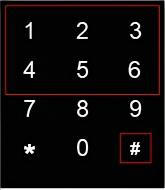
In the initial state, the project installation can be unlocked by pressing “123456#”.
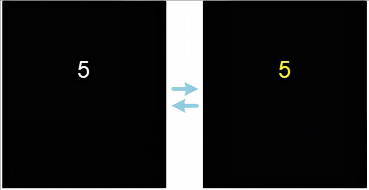
In the initial state, turning on the screen will automatically enter the “ready for addition” state, with the number 5 LED flashing. After installation using the installation card (or the app), the device can exit the initialization state.
Note: The installation method varies, and the scenarios for which it is suitable also differ.
- If the system is used in residential apartments or similar settings and is managed through a decentralized approach, please use the Huixiangjia or Huixiang Apartment app to install the door locks. The installation procedure is the same as that for the connected locks used in apartments.
- If the system is to be used in a setting with centralized management, such as a hotel, please have the networked lock management system provider produce an access-control installation card before completing the installation.
3. Detailed Feature Description
3.1 hookup
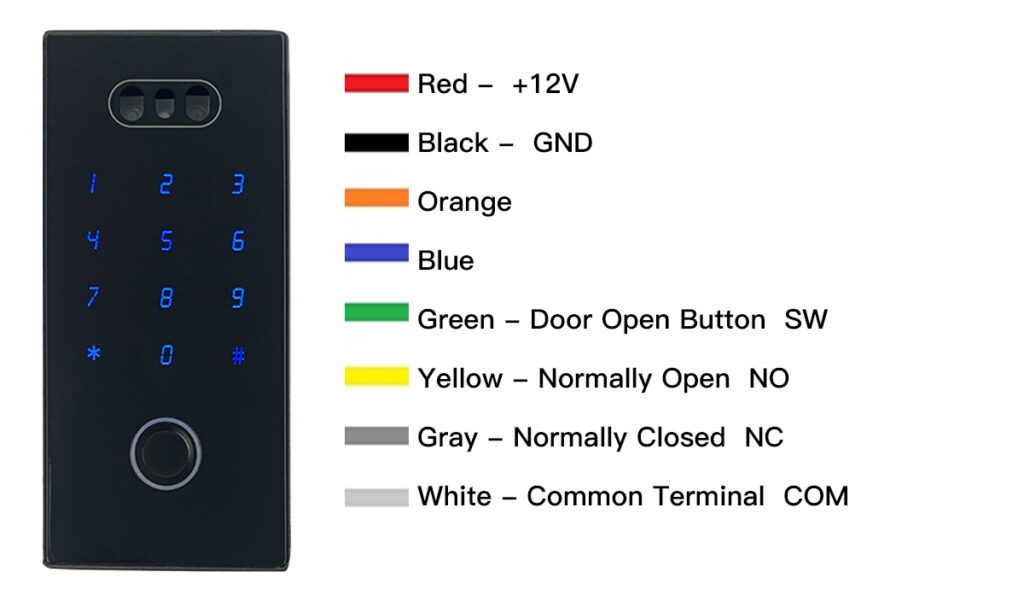
As shown, this is the wiring diagram for the Bluetooth access control controller; each wire sequence is described in Table 3.1.
Table 3.1 Wiring Instructions
| name | pigment | explain |
| +12V | red | The positive input port of the controller’s power supply accepts a DC voltage of 9–12 V. |
| GND | black | Common ground of the controller |
| undefinition | Citrus sinensis | |
| undefinition | Lan | |
| SW | Green | Door-opening button input signal |
| NO | Huang | A normally open output port is provided for connecting power-off unlocking electric locks or other devices. |
| NC | Gray | A normally closed output port, used to connect power-on unlocking electric locks or other devices. |
| COM | white | On the common terminal, the positive terminal of the power supply can be connected to provide power to the electric lock. |
3.2 Typical Applications
3.2.1 Directly controlled electric lock
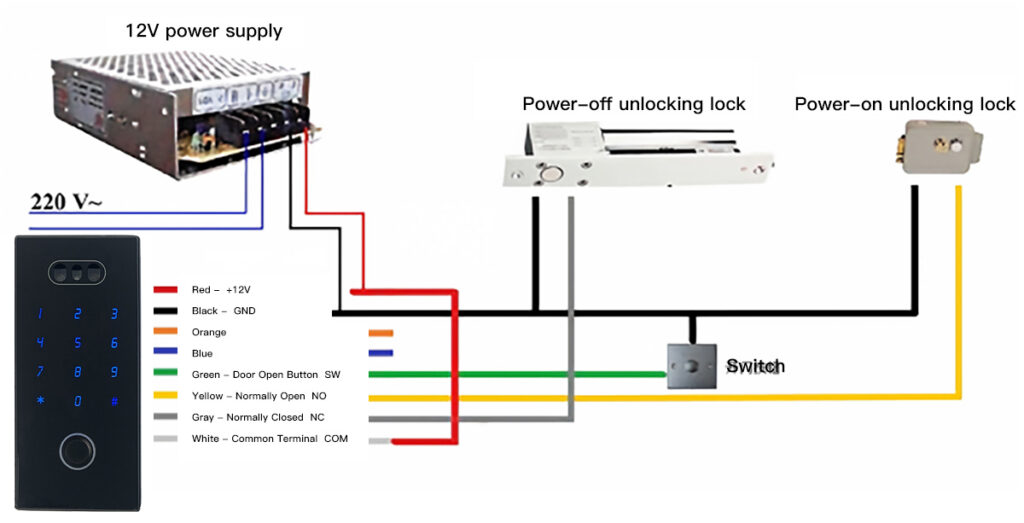
Figure 3.1 Wiring diagram for the directly controlled electric lock of the ACS03E
The ACS03E access control controller can control various types of electric locks, including electric plug locks, solenoid locks, and electronically controlled locks. These electric locks can be divided into two types: power-on unlocking and power-off unlocking. In power-on unlocking locks, the lock opens when power is applied (for example, the latch of an electric plug lock retracts), and it automatically locks again when power is cut off (for example, the latch extends). In contrast, power-off unlocking locks operate in the opposite manner. To comply with fire safety requirements, power-off unlocking locks are generally used. The connection between these two types of locks and the controller differs slightly, as shown in Figure 3.1 above.
For a power-off unlocking electric lock, connect the positive terminal of the power supply to the normally closed (“NC”) terminal of the controller and the negative terminal to the “GND” terminal. Under normal conditions, the “NC” terminal provides a 12 V output voltage (assuming that the power supply voltage connected to the controller is 12 V), keeping the electric lock in the locked state. When the card is read and the door opens, power is disconnected from the “NC” terminal, causing the electric lock to enter the unlocked state.
For power-on unlocking electric locks, the positive terminal of the power supply is connected to the normally open (“NO”) terminal of the controller, and the negative terminal is connected to the “GND” terminal. Under normal conditions, no voltage is output from the “NO” terminal, keeping the electric lock in the locked state. When the card is swiped to open the door, 12 V of voltage is output from the “NO” terminal, causing the electric lock to enter the unlocked state.
pay attention to:
- Once a valid door-lock card is read, the electric lock will open for 5 seconds and then close automatically.
- The electric lock can also be controlled using the door-opening button; it accepts dry-contact or TTL-level inputs.
- The operating current of an electric lock is relatively high, typically around 0.5 A. Therefore, the wire gauge used in the connection between the electric lock and the controller should be at least 0.5 mm²; do not use Ethernet cables.
3.2.2 Control the buttons at the elevator entrance.
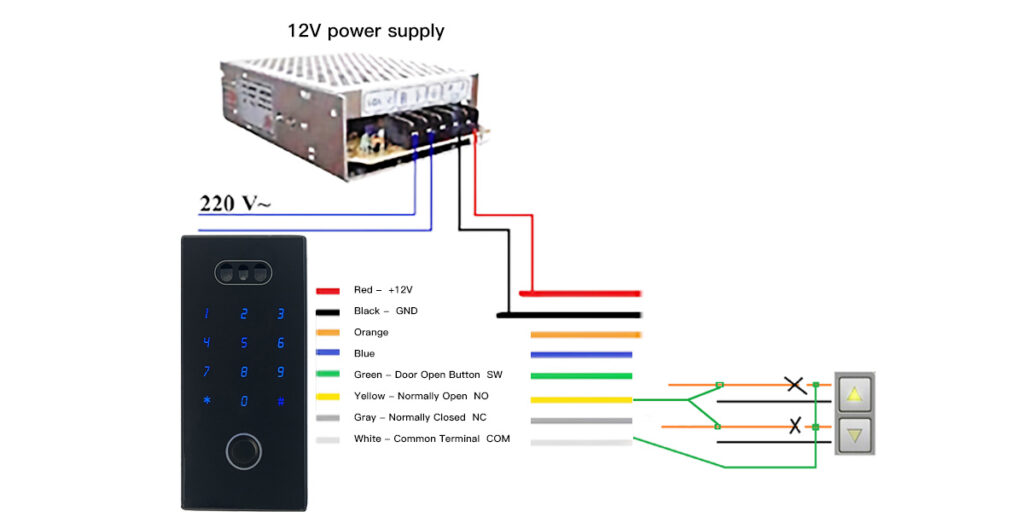
Figure 3.2 Wiring diagram 1for the ACS03E direct elevator entrance button
As shown in Figure 3.2, there are generally two buttons at the elevator entrance. Each button has two connecting wires, bringing the total to four wires. Two of these wires should be identical; cut them off and connect them separately to the NC and COM wires of the access control controller.
4. Structural Dimensional Drawing
The structural dimensions of the ACS03E access control system are shown in Figure 4.1.
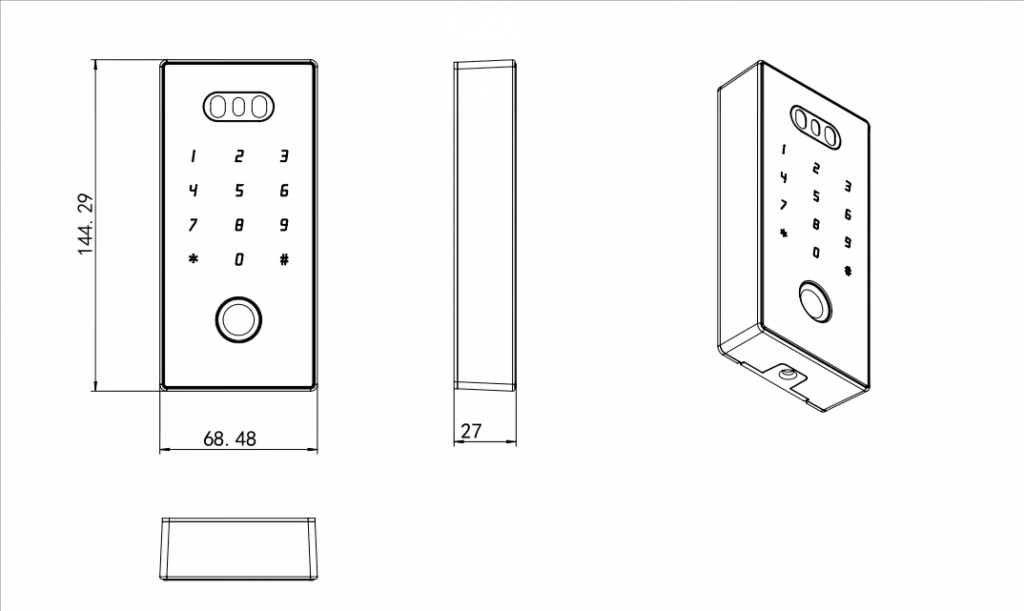
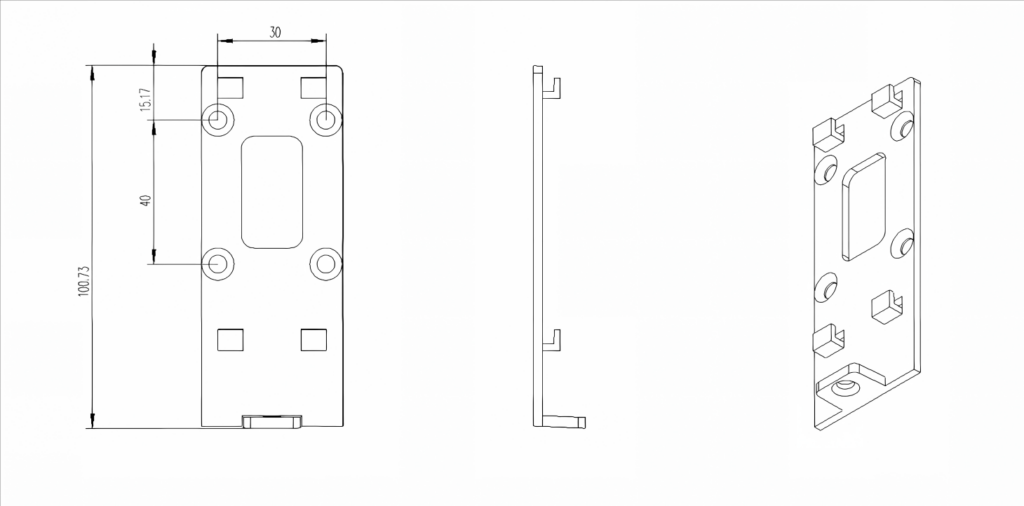
Figure 4.1: Dimensional drawing of the ASC03E-BFRZTBVL-433 access control device
5. Audible and visual alert for the door lock
The audible and visual alerts for the door lock are shown in Table 4.1.
Table 4.1 Auditory and Visual Indications of Door Locks
| function | Voice prompt for the door lock | |
| Functional Status Indicator Class | ||
| Basic Features | Lock opening | For the lock panel with a red indicator light on button 5: the red light on button 5 illuminates for 100 ms → the light on button 5 illuminates for 100 ms → all button lights illuminate for 1 second → the light on button 5 illuminates for 5 seconds.
For the lock panel with five buttons and no red lights: all button lights illuminate for 1 second → the five-button lights illuminate for 5 seconds. |
| If the door lock does not remain in the unlocked position after unlocking, a voice prompt will say, “Unlocked.”
If the door lock remains in the unlocked position after unlocking, a voice prompt will say: “The door lock remains unlocked. Please remember to lock it.” |
||
| Locking mechanism | Voice prompt: “Locked.” | |
| Pre-conception status not determined | On lock boards that have not undergone production testing, the indicator lights on all buttons flash continuously once per second: they remain on for 200 ms and then off for 800 ms…. This flashing continues until the production test is executed, at which point it stops flashing. | |
| initialise | After the button is held down for 1 second, the red fifth indicator light will begin to remain illuminated continuously; (For lock panels with five buttons that do not have red indicator lights, the fifth button’s indicator light will remain illuminated continuously.) | |
| When the button is held down for 10 seconds, the speaker emits two short beeps, and the red LED flashes rapidly at a rate of five times per second: it turns on for 50 ms, turns off for 150 ms, turns on for 50 ms, turns off for 150 ms, and so on (for the lock board with five buttons but no red LEDs, the five button LEDs will flash). | ||
| Set the button to release during a long press lasting 10–30 seconds:
If the initialization password has not been enabled, the voice prompt will say: “Initialization successful; the door lock is in its initial state. Please select ‘Add Bluetooth Lock’ in the app, or enter *#123456# to configure the door lock.” If the initial password is enabled, a voice prompt will say, “Please enter the password.” After you enter the password and it is verified successfully, the voice prompt will say, “Initialization successful. The door lock is now in its initial state. Please select ‘Add Bluetooth Lock’ in the app, or enter *#123456# to configure the door lock.” |
||
| If the button is held down for more than 30 seconds without being released, the LED will turn off at the 30-second mark, and initialization will fail. | ||
| Bluetooth pairing in the initialized state | When entering pairing mode, the voice prompt says: “The door lock is in its initial state. Please select ‘Add Bluetooth Lock’ in the app, or enter *#123456# to configure the door lock.” | |
| For the lock panel with a red light on the 5-key button: during the pairing process, the 5-key light and the red 5-key light alternate in flashing (800 ms of the 5-key light – 800 ms of the red 5-key light – 800 ms of the 5-key light…), while the lights on the other buttons remain constantly illuminated.
For the lock panel with five buttons that does not have a red light: During pairing, the light on the fifth button flashes (800 ms on – 800 ms off – 800 ms on – 800 ms off…), while the lights on the other buttons remain constantly on. The Bluetooth pairing status will remain active for 1 minute. |
||
| For lock panels whose Huixiangjia or Huixiang Apartment apps have been disabled, all button lights will flash during the pairing process: on for 400 ms – off for 400 ms – on for 400 ms – off for 400 ms… | ||
| When pairing is successful, an audio prompt will say, “Pairing successful.” | ||
| When exiting due to timeout or by pressing the * key, a voice prompt will say “Exit settings.” | ||
| If pairing fails, an audio prompt will say: “Pairing failed. Please try again.” | ||
| Press the button | Button sound enabled: The speaker emits a short beep, and all button indicators remain lit continuously for 10 seconds. | |
| Button sound off: All button indicators will turn off for 50 ms, then remain constantly lit for 10 seconds. | ||
| Add a key | Local card addition for the door lock:
The system enters the addition mode, and a voice prompt says, “Please swipe your key card.” The card addition was successfully completed; the voice prompt says, “Operation successful.” If the card is added again, the voice prompt will say “Duplicate key.” Exit after the timeout period or exit by pressing the * key; a voice prompt will say, “Exiting settings.” |
|
| Add a fingerprint locally to the door lock:
The system enters the addition mode, and a voice prompt says, “Please place your finger.” During the addition process, after each finger press, the voice prompt says, “Please enter the information again.” Added successfully; the voice prompt says “Operation successful.” Exit after the timeout period expires or exit by pressing the * key; a voice prompt will say “Operation failed.” |
||
| Add the remote control key:
The system enters addition mode, and a voice prompt says, “Please add a key.” Added successfully; the voice prompt says “Operation successful.” If the remote control is added repeatedly, the voice prompt “Duplicate key” will appear. Exit after the timeout period or exit by pressing the * key; a voice prompt will say, “Exiting settings.” |
||
| During the key addition process, all button indicator lights remain constantly illuminated; once the key addition mode is exited, the button indicator lights turn off.
● The timeout period for adding a fingerprint is 15 seconds; ● The timeout period for adding a card is 30 seconds; ● The timeout period for adding a remote control is 15 seconds; |
||
| Operation successful | Voice prompt: “Operation successful.” | |
| Operation failed | All key lights except the 5-key light + the red 5-key light flash rapidly three times: 50 ms on – 50 ms off – 50 ms on – 50 ms off – 50 ms on – off. | |
| Voice prompt: “Operation failed” | ||
| Synchronizing data | During the synchronization of the door lock record or synchronization of the key, the five-key indicator lights flash continuously once per second: on for 50 ms, off for 950 ms, and so on… | |
| Firmware upgrade in progress | When the upgrade begins, a voice prompt will say: “Upgrading. Please wait a moment.”
During the firmware upgrade, the five-key indicator lights will flash continuously once per second: on for 50 ms, off for 950 ms, and so on… The upgrade was successfully completed; the voice prompt says, “The door lock upgrade was successfully completed.” The upgrade failed; the voice prompt reads: “The door lock upgrade failed. Please try the process again.” |
|
| Warning category | ||
| Functional alarm notification | Trial-and-error alert | The fingerprint card uses a trial-and-error mechanism: each incorrect attempt triggers an audio-visual “operation failed” alert. After five failed attempts, the system locks for 90 seconds, and a voice prompt says, “Illegal operation; the system has been locked.” |
| During the system lock-up period, the red fifth light will flash rapidly once every 10 seconds. | ||
| During the system lock period, when the PIN card is inserted, a voice prompt will say: “Illegal operation: system locked.” | ||
| Low battery level alert | The low battery alarm persists for 3 seconds. During the alarm period, the red light flashes rapidly twice per second: it turns on for 50 ms, turns off for 50 ms, turns on for 50 ms, and then turns off for 850 ms… (this cycle repeats three times). | |
| Voice prompt: “Battery power is low; please replace the battery promptly.” | ||
| Low battery lock-unlocking wait time | After more than 20 attempts to unlock the device while the battery level is low, the unlocking process will be delayed by 3 seconds upon the next attempt. During this delay period, the red LED will flash rapidly five times: on for 100 ms – off for 100 ms – on for 100 ms – off for 100 ms… | |
| Lock-opening failure prompt | The key has been replaced. | The red fifth indicator light turns on for 1 second and then turns off (for lock panels with five buttons that do not have a red light, the fifth button’s indicator light turns on for 1 second); a voice prompt says, “Beep, beep, beep: operation failed.” |
| The key is no longer valid. | The red fifth indicator light turns on for 1 second and then turns off (for lock panels with five buttons that do not have a red light, the fifth button’s indicator light turns on for 1 second); a voice prompt says, “Beep, beep, beep: operation failed.” | |
| The key is disabled. | The red fifth indicator light turns on for 1 second and then turns off (for lock panels with five buttons that do not have a red light, the fifth button’s indicator light turns on for 1 second); a voice prompt says, “Beep, beep, beep: operation failed.” | |
| Unauthorized key | For all button lights except the 5-key light, plus the red 5-key light: rapid flashing three times—on for 50 ms, off for 50 ms, on for 50 ms, off for 50 ms, on for 50 ms, then off. A voice prompt will say: “Beep, beep, beep: operation failed.” | |
| Power-on self-test fault message | Power-on self-test | During the self-test period, Red 5 flashes rapidly three times per second: 50 ms on – 50 ms off – 50 ms on – 50 ms off – 50 ms on – 750 ms off… (For lock boards with five buttons but no red light, the five-button indicator lights flash.) |
| Power-on self-test successful | All button indicators will illuminate for 2 seconds;
Shangdian Music; |
|
| Abnormality in the card verification circuit | One short beep; the signal is transmitted within 2 seconds (detection duration: 1 second). | |
| Abnormality in the battery voltage detection circuit | Two short beeps; the transmission must be completed within 2 seconds (detection duration: 1 second). | |
| Set the button self-test anomaly flag. | Three short beeps, played within 2 seconds (detection duration: 1 second). | |
| Abnormal card reading communication | Four short tones, played within 2 seconds (detection duration: 1 second). | |
| Abnormality in the touch-button circuit | Five short beeps, played within 2 seconds (detection duration: 1 second). | |
| Storage chip anomaly | Six short tones, played within 2 seconds (detection duration: 1 second) | |
| Fingerprint module anomaly | Seven short tones; playback completes within 2 seconds (detection duration: 1 second). | |
Reviews
There are no reviews yet.